
Fireworks are one of those things that look complicated to simulate but turn out to be surprisingly straightforward once you break them down. A rocket is just a point moving upward with a bit of random horizontal drift. When it stops climbing, you replace it with a spray of coloured sparks, each moving outward at a random angle and speed, all pulled slowly downward by gravity, all fading as their lifetime ticks away. That's it. A few dozen lines of physics, and it looks like the real thing.
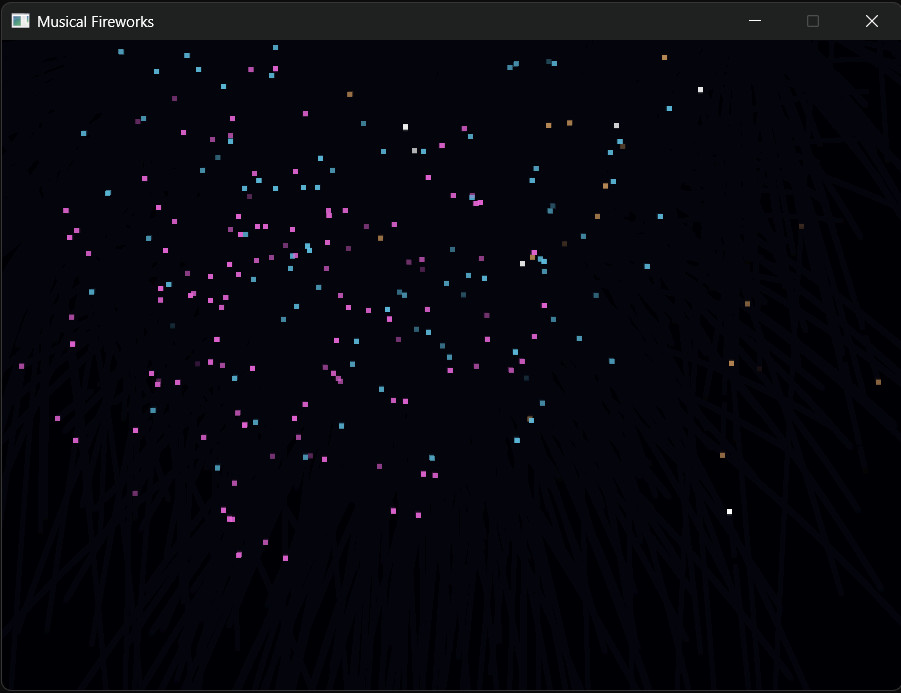
This project builds a continuous fireworks display that plays a looping WAV soundtrack in the background. The visual effect uses a technique borrowed from old-school demo coding: instead of clearing the screen to black every frame, we overlay a semi-transparent dark rectangle. Old pixels don't vanish — they dim gradually, leaving glowing comet trails behind every particle. Two rendering calls, zero extra memory, and the whole thing looks expensive.
The audio side is the main new idea here. SDL3 removed SDL_mixer from the core library and replaced it with a proper built-in streaming audio API. It takes about six calls to set up, and once you understand the pipeline the logic is very clean. We'll walk through each step in detail.
The full source is a single main.cpp with no external dependencies beyond SDL3 itself. You can also browse or clone it on GitHub: Musical Fireworks on GitHub.
Project Setup
Prerequisites
You need SDL3 installed and a C++17 compiler. If you're working through Learning C++ by Building Games the setup is already in place. If you're starting fresh, Chapter 1 of Learning C++ by Building Games walks through installing SDL3 and configuring Visual Studio from scratch — it's the fastest route to a working setup on Windows.
Create a new project folder called MusicalFireworks and drop main.cpp inside it. Link against SDL3 as you would any other SDL project — on most setups that's -lSDL3 on the compiler command line, or target_link_libraries(MusicalFireworks SDL3::SDL3) in CMake.
The WAV File
The project plays a looping music file called Foghorn melody.wav. Place it in the same folder as the compiled executable (or your working directory when running from an IDE). Right-click the link below to save it:
Foghorn melody.wav— background music track
The code handles a missing WAV gracefully — the fireworks will still run, just silently — so you can test the visuals before worrying about audio placement.
Structs
The whole simulation rests on two structs. If you understand these you understand the program.
struct Particle {
    float x, y;        // screen position
    float vx, vy;      // velocity in pixels per second
    float life;        // seconds of life remaining
    float maxLife;     // starting life (used to compute alpha fade)
    Uint8 r, g, b;     // colour
};

struct Firework {
    Particle              rocket;
    std::vector<Particle> sparks;
    bool                  exploded;
};
Particle represents a single glowing point — it's used both for the rising rocket and for each individual spark in the explosion. Keeping the same struct for both means every piece of physics and rendering code works on either type without modification.
Firework groups a rocket with its eventual burst of sparks and a flag that tracks whether the rocket has detonated yet. Before explosion, only rocket is active. After explosion, rocket is ignored and sparks takes over.
Helper Functions
Four small functions handle all the simulation work:
float randRange(float lo, float hi) {
    return lo + (hi - lo) * static_cast<float>(rand()) / static_cast<float>(RAND_MAX);
}
A simple wrapper that maps rand()'s 0–RAND_MAX output onto any float range. Used everywhere a random number is needed.
Firework spawnFirework() {
    Firework fw;
    fw.exploded       = false;

    fw.rocket.x       = randRange(120.0f, WINDOW_W - 120.0f);
    fw.rocket.y       = static_cast<float>(WINDOW_H);
    fw.rocket.vx      = randRange(-40.0f, 40.0f);
    fw.rocket.vy      = randRange(-420.0f, -250.0f);  // negative = upward
    fw.rocket.life    = 4.0f;
    fw.rocket.maxLife = 4.0f;
    fw.rocket.r = fw.rocket.g = fw.rocket.b = 255;

    return fw;
}
Rockets launch from a random horizontal position at the bottom of the screen. Negative vy means upward in SDL's coordinate system (y increases downward). The slight horizontal drift — vx between −40 and +40 — gives each trajectory a gentle arc rather than a dead-straight climb.
void explode(Firework& fw) {
    fw.exploded = true;

    Uint8 r = static_cast<Uint8>(randRange(80, 255));
    Uint8 g = static_cast<Uint8>(randRange(80, 255));
    Uint8 b = static_cast<Uint8>(randRange(80, 255));

    int count = 80 + rand() % 70;   // 80–149 sparks per burst
    fw.sparks.reserve(count);

    for (int i = 0; i < count; ++i) {
        float angle = randRange(0.0f, 6.28318f);  // 0 to 2*pi
        float speed = randRange(60.0f, 280.0f);

        Particle p;
        p.x       = fw.rocket.x;
        p.y       = fw.rocket.y;
        p.vx      = cosf(angle) * speed;
        p.vy      = sinf(angle) * speed;
        p.life    = randRange(0.7f, 2.2f);
        p.maxLife = p.life;
        p.r = r;  p.g = g;  p.b = b;

        fw.sparks.push_back(p);
    }
}
All sparks in one explosion share the same randomly chosen colour — that's what gives the display its vivid, distinct bursts rather than a uniform white cloud. The cosf/sinf pair distributes sparks evenly in all directions by converting a random angle into x and y velocity components. Speed varies between sparks, so some fly far and fast, others drift and fade close to the burst point.
void updateParticle(Particle& p, float dt) {
    p.x    += p.vx * dt;
    p.y    += p.vy * dt;
    p.vy   += GRAVITY * dt;
    p.life -= dt;
}

void drawParticle(SDL_Renderer* renderer, const Particle& p) {
    Uint8 alpha = static_cast<Uint8>(255.0f * (p.life / p.maxLife));
    SDL_SetRenderDrawColor(renderer, p.r, p.g, p.b, alpha);
    SDL_FRect rect = { p.x - 2.0f, p.y - 2.0f, 5.0f, 5.0f };
    SDL_RenderFillRect(renderer, &rect);
}
updateParticle applies Euler integration: position moves by velocity scaled by delta time, velocity is nudged downward by gravity, and the lifetime ticks down. Everything is frame-rate-independent because every change is multiplied by dt — the actual elapsed seconds since the last frame.
drawParticle calculates alpha as the fraction of life remaining — a particle at full health is fully opaque, a particle about to expire is nearly invisible. The result is particles that smoothly fade out rather than popping off the screen.
Initialisation
main() works through a numbered sequence of setup steps before entering the game loop. Here's the first half:
if (!SDL_Init(SDL_INIT_VIDEO | SDL_INIT_AUDIO)) {
    SDL_Log("SDL_Init failed: %s", SDL_GetError());
    return 1;
}

SDL_Window* window = SDL_CreateWindow(
    "Musical Fireworks",
    WINDOW_W, WINDOW_H,
    0
);
SDL_Renderer* renderer = SDL_CreateRenderer(window, nullptr);

if (!window || !renderer) {
    SDL_Log("Window/Renderer failed: %s", SDL_GetError());
    SDL_Quit();
    return 1;
}

SDL_SetRenderDrawBlendMode(renderer, SDL_BLENDMODE_BLEND);
Two things worth noting. First, SDL_INIT_AUDIO must be passed alongside SDL_INIT_VIDEO — without it, every audio call will fail silently. Second, SDL_SetRenderDrawBlendMode(renderer, SDL_BLENDMODE_BLEND) enables alpha blending for draw calls. Without it, the alpha values we set in drawParticle would be ignored and the fade-overlay trick wouldn't work.
The SDL3 Audio Pipeline
This is the heart of what makes this project interesting. SDL3's audio system is built around a pipeline: you load audio data, open a device, create a stream that converts your data to the device's format, and then push data into the stream. The device drains it automatically in a background thread.
Step 1 — Load the WAV
SDL_AudioSpec wavSpec   = {};
Uint8*        wavBuffer = nullptr;
Uint32        wavLength = 0;

bool audioLoaded = SDL_LoadWAV("Foghorn melody.wav",
                               &wavSpec,
                               &wavBuffer,
                               &wavLength);
SDL_LoadWAV reads the file from disk and gives you three things: the audio spec (sample rate, channel count, bit depth), a pointer to the raw PCM bytes, and how many bytes there are. The buffer is allocated by SDL, so it must be freed with SDL_free() — not delete, not free().
Step 2 — Open the Audio Device
SDL_AudioDeviceID audioDevice = SDL_OpenAudioDevice(
    SDL_AUDIO_DEVICE_DEFAULT_PLAYBACK, nullptr);
SDL_AUDIO_DEVICE_DEFAULT_PLAYBACK tells SDL to use whatever the user has configured as their default speakers or headphones. Passing nullptr for the spec means "let SDL pick a suitable format for this device" — you're not forcing a particular sample rate or bit depth. SDL will handle any conversion for you.
Step 3 — Create the Stream
audioStream = SDL_CreateAudioStream(&wavSpec, nullptr);The stream is the conversion pipe between your audio data and the device. You provide your WAV's format as the source spec. The destination spec is nullptr again, meaning "match the bound device". If your WAV is 44100 Hz stereo and the device wants 48000 Hz stereo, the stream resamples automatically.
Step 4 — Bind the Stream and Queue the First Batch
SDL_BindAudioStream(audioDevice, audioStream);

SDL_PutAudioStreamData(audioStream,
                       wavBuffer,
                       static_cast<int>(wavLength));
SDL_BindAudioStream connects the stream to the open device. From this point on, the device's background thread starts pulling audio from the stream automatically — you don't call a "play" function. SDL_PutAudioStreamData copies your PCM bytes into the stream's internal queue. The device starts consuming them immediately.
Looping in the Game Loop
if (audioStream && wavBuffer) {
    if (SDL_GetAudioStreamAvailable(audioStream) == 0) {
        SDL_PutAudioStreamData(audioStream,
                               wavBuffer,
                               static_cast<int>(wavLength));
    }
}
SDL_GetAudioStreamAvailable returns the number of bytes still waiting to be played. When it hits zero the music has finished. We respond by pushing the WAV bytes back in from the start. Because we still have wavBuffer in memory, re-queuing is a single call — no disk read required.
The Game Loop
Delta Time
Uint64 now = SDL_GetTicks();
float  dt  = static_cast<float>(now - lastTick) / 1000.0f;
lastTick   = now;
if (dt > 0.1f) dt = 0.1f;
SDL_GetTicks returns elapsed milliseconds since SDL initialised. Dividing the difference by 1000 converts it to seconds. The 0.1 second cap prevents a huge physics jump if the window is dragged or the system hiccups — without it, one delayed frame could fling particles off screen.
Spawning Fireworks
launchTimer += dt;
if (launchTimer >= launchInterval &&
    static_cast<int>(fireworks.size()) < MAX_FIREWORKS) {
    fireworks.push_back(spawnFirework());
    launchTimer    = 0.0f;
    launchInterval = randRange(0.3f, 1.0f);
}
Rockets launch on a timer rather than every frame. The interval is randomised after each launch so the rhythm feels organic rather than mechanical. The MAX_FIREWORKS cap prevents the vector from growing without bound if the frame rate drops.
Updating and Removing Fireworks
for (Firework& fw : fireworks) {
    if (!fw.exploded) {
        updateParticle(fw.rocket, dt);
        if (fw.rocket.vy >= 0.0f || fw.rocket.life <= 0.0f)
            explode(fw);
    } else {
        for (Particle& sp : fw.sparks)
            if (sp.life > 0.0f)
                updateParticle(sp, dt);
    }
}

fireworks.erase(
    std::remove_if(fireworks.begin(), fireworks.end(),
        [](const Firework& fw) {
            if (!fw.exploded) return false;
            for (const Particle& p : fw.sparks)
                if (p.life > 0.0f) return false;
            return true;
        }),
    fireworks.end()
);
The explosion trigger is elegant: fw.rocket.vy >= 0.0f fires when the rocket stops climbing and gravity pulls it back. At that exact moment velocity flips from negative to positive — which is the highest point of the arc, exactly where a real firework bursts. The lifetime check is a safety net in case a rocket with very little upward velocity never quite reaches that inflection point.
The std::remove_if + erase combination is the standard C++ way to remove elements from a vector in a single pass. remove_if shuffles matching elements to the back and returns an iterator to where the "junk" starts; erase then cuts from that point to the end. Calling erase alone inside the loop would be slow and error-prone — this pattern keeps it clean and efficient.
Drawing — The Fade Trick
SDL_SetRenderDrawColor(renderer, 0, 0, 8,
                       static_cast<Uint8>(FADE_ALPHA));
SDL_FRect fullscreen = { 0.0f, 0.0f,
                         static_cast<float>(WINDOW_W),
                         static_cast<float>(WINDOW_H) };
SDL_RenderFillRect(renderer, &fullscreen);
Instead of SDL_RenderClear — which would wipe everything to black — we draw a nearly-opaque dark-blue rectangle over the entire screen. FADE_ALPHA is 28, which means about 11% opacity. Old pixels survive but get slightly darker on each frame, creating a persistence of vision effect: every particle leaves a glowing streak behind it as it moves. It's the same trick the old Amiga demos used, and it still looks great.
The actual particles are drawn on top of the faded background, brighter than the decay level, so they read as moving points of light trailing off into darkness.
Clean Up
if (audioStream)  SDL_DestroyAudioStream(audioStream);
if (audioDevice)  SDL_CloseAudioDevice(audioDevice);
if (wavBuffer)    SDL_free(wavBuffer);

SDL_DestroyRenderer(renderer);
SDL_DestroyWindow(window);
SDL_Quit();
Resources are released in reverse order of creation — audio stream before device, renderer before window, window before SDL_Quit. The if guards mean the cleanup is safe even if audio setup failed partway through.
Complete Listing
The full source is in a single file. You can browse it on GitHub at EliteIntegrity/Learning-C-by-Building-Games — Musical Fireworks, or read it in full below:
/*
 * ============================================================
 *  Musical Fireworks  -  SDL3 Tutorial Project
 * ============================================================
 *
 *  A continuous firework display plays on screen while a WAV
 *  music file loops in the background.
 *
 *  Escape / close window  ->  quit
 * ============================================================
 */

#include <SDL3/SDL.h>
#include <vector>
#include <algorithm>
#include <cstdlib>
#include <cmath>

const int   WINDOW_W        = 900;
const int   WINDOW_H        = 650;
const int   MAX_FIREWORKS   = 10;
const float GRAVITY         = 90.0f;
const float FADE_ALPHA      = 28.0f;

struct Particle {
    float x, y;
    float vx, vy;
    float life;
    float maxLife;
    Uint8 r, g, b;
};

struct Firework {
    Particle              rocket;
    std::vector<Particle> sparks;
    bool                  exploded;
};

float randRange(float lo, float hi) {
    return lo + (hi - lo) * static_cast<float>(rand()) / static_cast<float>(RAND_MAX);
}

Firework spawnFirework() {
    Firework fw;
    fw.exploded       = false;
    fw.rocket.x       = randRange(120.0f, WINDOW_W - 120.0f);
    fw.rocket.y       = static_cast<float>(WINDOW_H);
    fw.rocket.vx      = randRange(-40.0f, 40.0f);
    fw.rocket.vy      = randRange(-420.0f, -250.0f);
    fw.rocket.life    = 4.0f;
    fw.rocket.maxLife = 4.0f;
    fw.rocket.r = fw.rocket.g = fw.rocket.b = 255;
    return fw;
}

void explode(Firework& fw) {
    fw.exploded = true;
    Uint8 r = static_cast<Uint8>(randRange(80, 255));
    Uint8 g = static_cast<Uint8>(randRange(80, 255));
    Uint8 b = static_cast<Uint8>(randRange(80, 255));
    int count = 80 + rand() % 70;
    fw.sparks.reserve(count);
    for (int i = 0; i < count; ++i) {
        float angle = randRange(0.0f, 6.28318f);
        float speed = randRange(60.0f, 280.0f);
        Particle p;
        p.x       = fw.rocket.x;
        p.y       = fw.rocket.y;
        p.vx      = cosf(angle) * speed;
        p.vy      = sinf(angle) * speed;
        p.life    = randRange(0.7f, 2.2f);
        p.maxLife = p.life;
        p.r = r; p.g = g; p.b = b;
        fw.sparks.push_back(p);
    }
}

void updateParticle(Particle& p, float dt) {
    p.x    += p.vx * dt;
    p.y    += p.vy * dt;
    p.vy   += GRAVITY * dt;
    p.life -= dt;
}

void drawParticle(SDL_Renderer* renderer, const Particle& p) {
    Uint8 alpha = static_cast<Uint8>(255.0f * (p.life / p.maxLife));
    SDL_SetRenderDrawColor(renderer, p.r, p.g, p.b, alpha);
    SDL_FRect rect = { p.x - 2.0f, p.y - 2.0f, 5.0f, 5.0f };
    SDL_RenderFillRect(renderer, &rect);
}

int main(int /*argc*/, char* /*argv*/[]) {

    if (!SDL_Init(SDL_INIT_VIDEO | SDL_INIT_AUDIO)) {
        SDL_Log("SDL_Init failed: %s", SDL_GetError());
        return 1;
    }

    SDL_Window*   window   = SDL_CreateWindow("Musical Fireworks", WINDOW_W, WINDOW_H, 0);
    SDL_Renderer* renderer = SDL_CreateRenderer(window, nullptr);

    if (!window || !renderer) {
        SDL_Log("Window/Renderer failed: %s", SDL_GetError());
        SDL_Quit();
        return 1;
    }

    SDL_SetRenderDrawBlendMode(renderer, SDL_BLENDMODE_BLEND);

    SDL_AudioSpec     wavSpec   = {};
    Uint8*            wavBuffer = nullptr;
    Uint32            wavLength = 0;
    SDL_AudioDeviceID audioDevice = 0;
    SDL_AudioStream*  audioStream = nullptr;

    bool audioLoaded = SDL_LoadWAV("Foghorn melody.wav", &wavSpec, &wavBuffer, &wavLength);

    if (audioLoaded) {
        audioDevice = SDL_OpenAudioDevice(SDL_AUDIO_DEVICE_DEFAULT_PLAYBACK, nullptr);
        if (audioDevice != 0) {
            audioStream = SDL_CreateAudioStream(&wavSpec, nullptr);
            if (audioStream) {
                SDL_BindAudioStream(audioDevice, audioStream);
                SDL_PutAudioStreamData(audioStream, wavBuffer, static_cast<int>(wavLength));
            }
        }
    }

    std::vector<Firework> fireworks;
    fireworks.reserve(MAX_FIREWORKS);

    float  launchTimer    = 0.0f;
    float  launchInterval = 0.5f;
    srand(static_cast<unsigned>(SDL_GetTicks()));
    Uint64 lastTick = SDL_GetTicks();

    bool running = true;
    while (running) {

        Uint64 now = SDL_GetTicks();
        float  dt  = static_cast<float>(now - lastTick) / 1000.0f;
        lastTick   = now;
        if (dt > 0.1f) dt = 0.1f;

        SDL_Event event;
        while (SDL_PollEvent(&event)) {
            if (event.type == SDL_EVENT_QUIT) running = false;
            if (event.type == SDL_EVENT_KEY_DOWN &&
                event.key.scancode == SDL_SCANCODE_ESCAPE) running = false;
        }

        if (audioStream && wavBuffer) {
            if (SDL_GetAudioStreamAvailable(audioStream) == 0)
                SDL_PutAudioStreamData(audioStream, wavBuffer, static_cast<int>(wavLength));
        }

        launchTimer += dt;
        if (launchTimer >= launchInterval &&
            static_cast<int>(fireworks.size()) < MAX_FIREWORKS) {
            fireworks.push_back(spawnFirework());
            launchTimer    = 0.0f;
            launchInterval = randRange(0.3f, 1.0f);
        }

        for (Firework& fw : fireworks) {
            if (!fw.exploded) {
                updateParticle(fw.rocket, dt);
                if (fw.rocket.vy >= 0.0f || fw.rocket.life <= 0.0f)
                    explode(fw);
            } else {
                for (Particle& sp : fw.sparks)
                    if (sp.life > 0.0f)
                        updateParticle(sp, dt);
            }
        }

        fireworks.erase(
            std::remove_if(fireworks.begin(), fireworks.end(),
                [](const Firework& fw) {
                    if (!fw.exploded) return false;
                    for (const Particle& p : fw.sparks)
                        if (p.life > 0.0f) return false;
                    return true;
                }),
            fireworks.end()
        );

        SDL_SetRenderDrawColor(renderer, 0, 0, 8, static_cast<Uint8>(FADE_ALPHA));
        SDL_FRect fullscreen = { 0.0f, 0.0f,
                                 static_cast<float>(WINDOW_W),
                                 static_cast<float>(WINDOW_H) };
        SDL_RenderFillRect(renderer, &fullscreen);

        for (const Firework& fw : fireworks) {
            if (!fw.exploded) {
                drawParticle(renderer, fw.rocket);
            } else {
                for (const Particle& sp : fw.sparks)
                    if (sp.life > 0.0f)
                        drawParticle(renderer, sp);
            }
        }

        SDL_RenderPresent(renderer);
    }

    if (audioStream)  SDL_DestroyAudioStream(audioStream);
    if (audioDevice)  SDL_CloseAudioDevice(audioDevice);
    if (wavBuffer)    SDL_free(wavBuffer);
    SDL_DestroyRenderer(renderer);
    SDL_DestroyWindow(window);
    SDL_Quit();

    return 0;
}
Common Issues
No audio — fireworks display runs but silent. The WAV must be in the same directory as the executable when it runs. In Visual Studio or VS Code, the working directory is usually the project folder, not the build output folder — check your launch configuration's cwd setting if the file loads fine from the command line but not from the IDE.
SDL_Init returns false. On Linux, you may need the ALSA or PulseAudio development headers installed (libasound2-dev or libpulse-dev) for audio to initialise. On Windows and macOS, SDL's built-in audio drivers should work without extra packages.
Particles flicker or blend mode looks wrong. SDL_SetRenderDrawBlendMode must be called after creating the renderer, not before. If it was called on the window or skipped entirely, alpha values are silently ignored and all draws will be fully opaque.
Linker error: SDL3 not found. Make sure you're linking against SDL3, not SDL2. The library name changed — it's -lSDL3 or SDL3::SDL3 in CMake, not SDL2 or SDL2main.
Music loops but there's a small gap between repeats. The stream may have a tiny tail of silence before the queue registers empty. This is normal behaviour — for gapless looping in a production game you'd pre-decode the audio to a ring buffer and manage the write position yourself.
Where to Take It Next
The project is a clean sandbox. A few directions worth exploring:
- Click to launch. Intercept
SDL_EVENT_MOUSE_BUTTON_DOWNand set the rocket's target to the click position. You'd calculate the angle and speed needed to reach that point — a nice introduction to ballistic trajectory maths. - Multiple WAV tracks. Create two or three audio streams and alternate between them, or layer a sound effect stream on top of the music stream. The pipeline design makes this straightforward — each stream is independent.
- Texture-based particles. Replace the filled
SDL_FRectwith a small glowing circle sprite loaded as anSDL_Textureand drawn withSDL_RenderTextureRotated. The visual quality jump is dramatic. - Rising tension. Track how many fireworks have launched and gradually reduce
launchIntervalover time, accelerating the display. Pair it with a music track that builds in energy. - Trail particles. Each frame a moving rocket or spark could emit a smaller, shorter-lived child particle at its current position — that gives proper comet tails per particle rather than relying on the screen-fade trick alone.